7 Best LinkBoss Alternatives in 2026: WordPress Plugins and SEO Tools
Contents
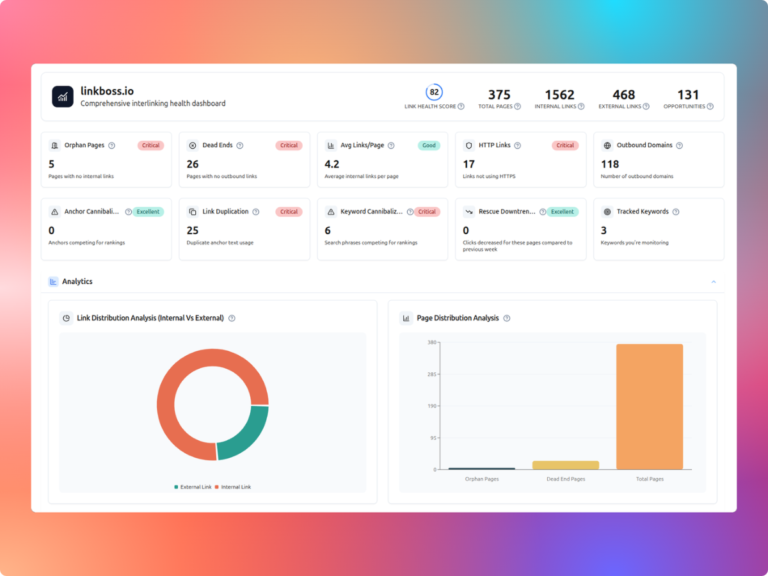
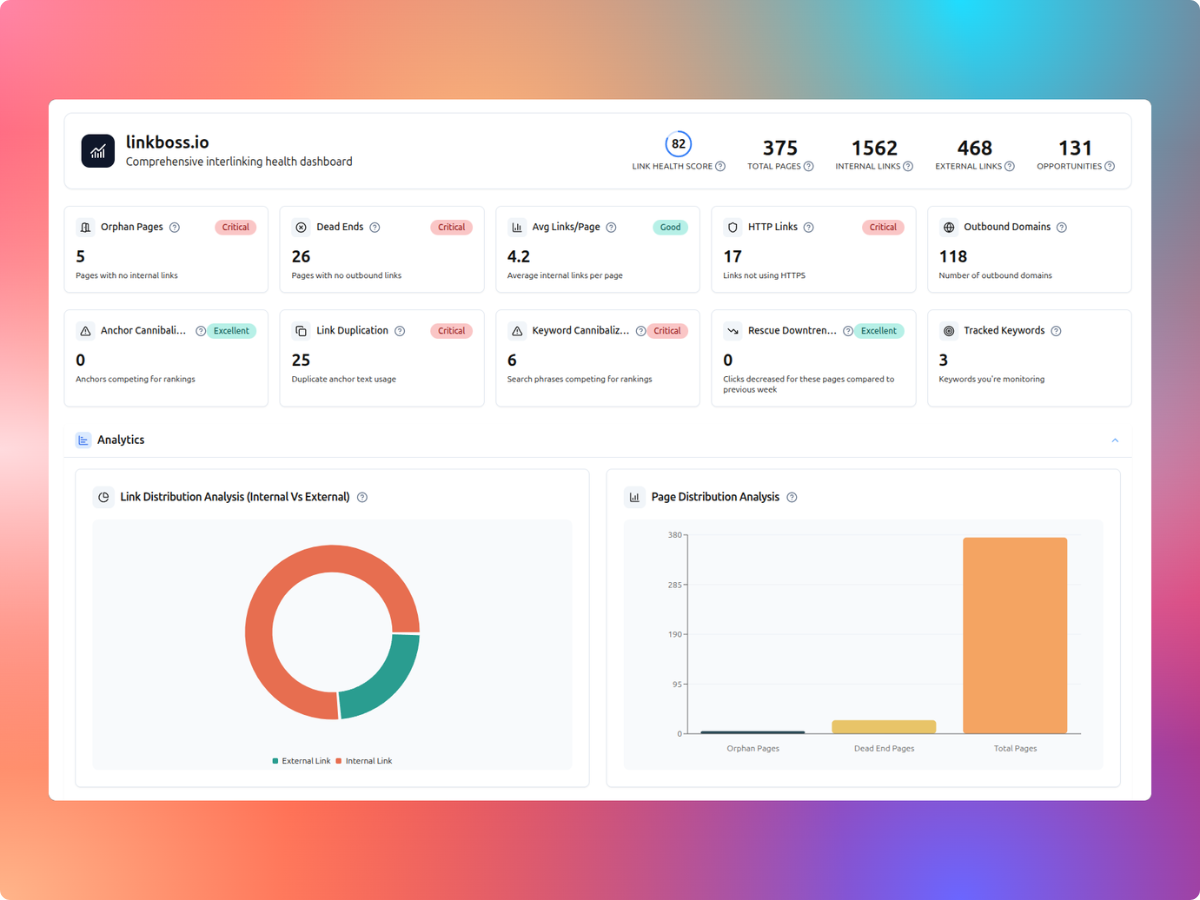
LinkBoss is strongest when WordPress publishers want free internal-link audits, bulk insertion and silo planning. These seven alternatives solve different problems, from suggestions inside the editor to technical crawl analysis. The right choice depends on the work you actually need to do.
Disclosure: Toolfountain may earn a commission from qualifying purchases through selected links.
LinkBoss alternatives at a glance
| Alternative | Best for | Biggest distinction from LinkBoss |
|---|---|---|
| 1. Link Whisper | WordPress editor-led link suggestions | Editor-led link suggestions |
| 2. Linkilo | A broader WordPress linking toolkit | Annual licensing |
| 3. LinkStorm | Multi-site, URL-volume-based link management | Multi-site URL-based plans |
| 4. Internal Link Juicer | Automated keyword-based link rules | Keyword-rule automation |
| 5. AIOSEO Link Assistant | Existing AIOSEO customers | All-in-one WordPress SEO workflow |
| 6. Screaming Frog SEO Spider | Detailed technical internal-link audits | Technical crawl detail |
| 7. Sitebulb | Visual site architecture and technical SEO audits | Visual crawl analysis |
1. Link Whisper: Best for wordpress editor-led link suggestions
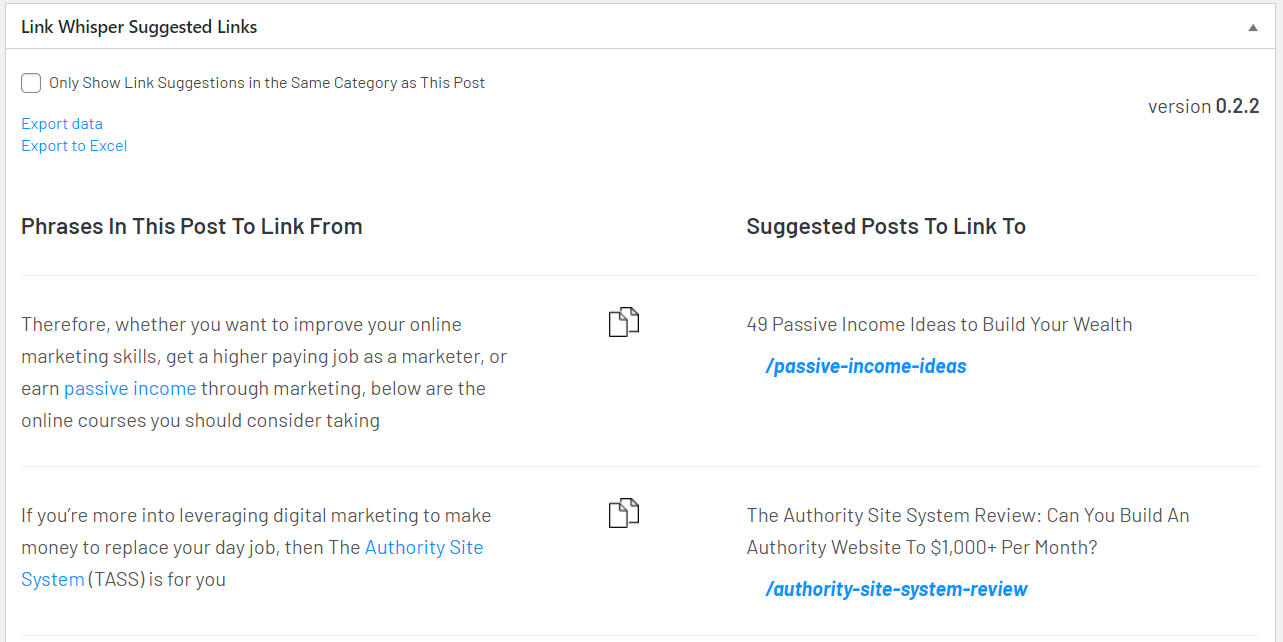
Link Whisper is an alternative worth evaluating when wordpress editor-led link suggestions matters more than LinkBoss’s bulk-first workflow.
Key features
- Contextual internal-link suggestions inside WordPress
- Inbound and outbound link reporting
- Orphan and broken-link reports
- Configurable auto-link rules
Pros
- Editor-led workflow fits writers reviewing each post
- Suggestions and reporting live inside WordPress
- Annual licenses make site costs predictable
- Free plugin offers a lower-risk entry point
Cons
- Premium features require a paid license
- AI credit allowances vary by tier
- Focused on WordPress rather than general crawling
- Suggestions still need manual relevance checks
Pricing
One site and 2,000 AI credits.
Three sites and 3,000 AI credits.
Ten sites and 5,000 AI credits.
Fifty sites and 10,000 AI credits.
Link Whisper vs LinkBoss
| Category | Better fit | Why |
|---|---|---|
| Editor-led link suggestions | Link Whisper | Link Whisper is more directly oriented to this use case. |
| Bulk-first workflows | LinkBoss | LinkBoss provides dedicated workflows for this need. |
| Best overall | Depends on your workflow | Compare the features and pricing model with your publishing process. |
Verdict: Link Whisper or LinkBoss?
Choose Link Whisper when editors want link suggestions while drafting and revising posts. LinkBoss is a better starting point when you need to audit an existing archive and implement links in bulk.
2. Linkilo: Best for a broader wordpress linking toolkit
Linkilo is an alternative worth evaluating when a broader wordpress linking toolkit matters more than LinkBoss’s bulk-first workflow.
View Linkilo product screenshots and interface on the official website.
Key features
- Internal-link suggestions and reports
- Broken-link and redirect tools
- Topic-cluster and supporting SEO modules
- Optional AI integration using a separate API key
Pros
- Annual site licenses rather than insertion-credit plans
- Several related WordPress modules in one toolkit
- Multi-site licenses support growing portfolios
- Useful alternative for teams managing redirects and links together
Cons
- Optional AI usage may incur separate provider charges
- Promotional prices may change
- Feature breadth can add configuration work
- WordPress-centric rather than a general web crawler
Pricing
One site and core modules.
Five sites and bulk processing.
Twenty-five sites and cross-site reporting.
Unlimited site licenses and agency support.
Linkilo vs LinkBoss
| Category | Better fit | Why |
|---|---|---|
| Annual licensing | Linkilo | Linkilo is more directly oriented to this use case. |
| Free ongoing audit offering | LinkBoss | LinkBoss provides dedicated workflows for this need. |
| Best overall | Depends on your workflow | Compare the features and pricing model with your publishing process. |
Verdict: Linkilo or LinkBoss?
Linkilo deserves a closer look when you want annual licenses and several WordPress management modules. LinkBoss is the more direct choice for a bulk internal-linking and silo workflow.
3. LinkStorm: Best for multi-site, url-volume-based link management
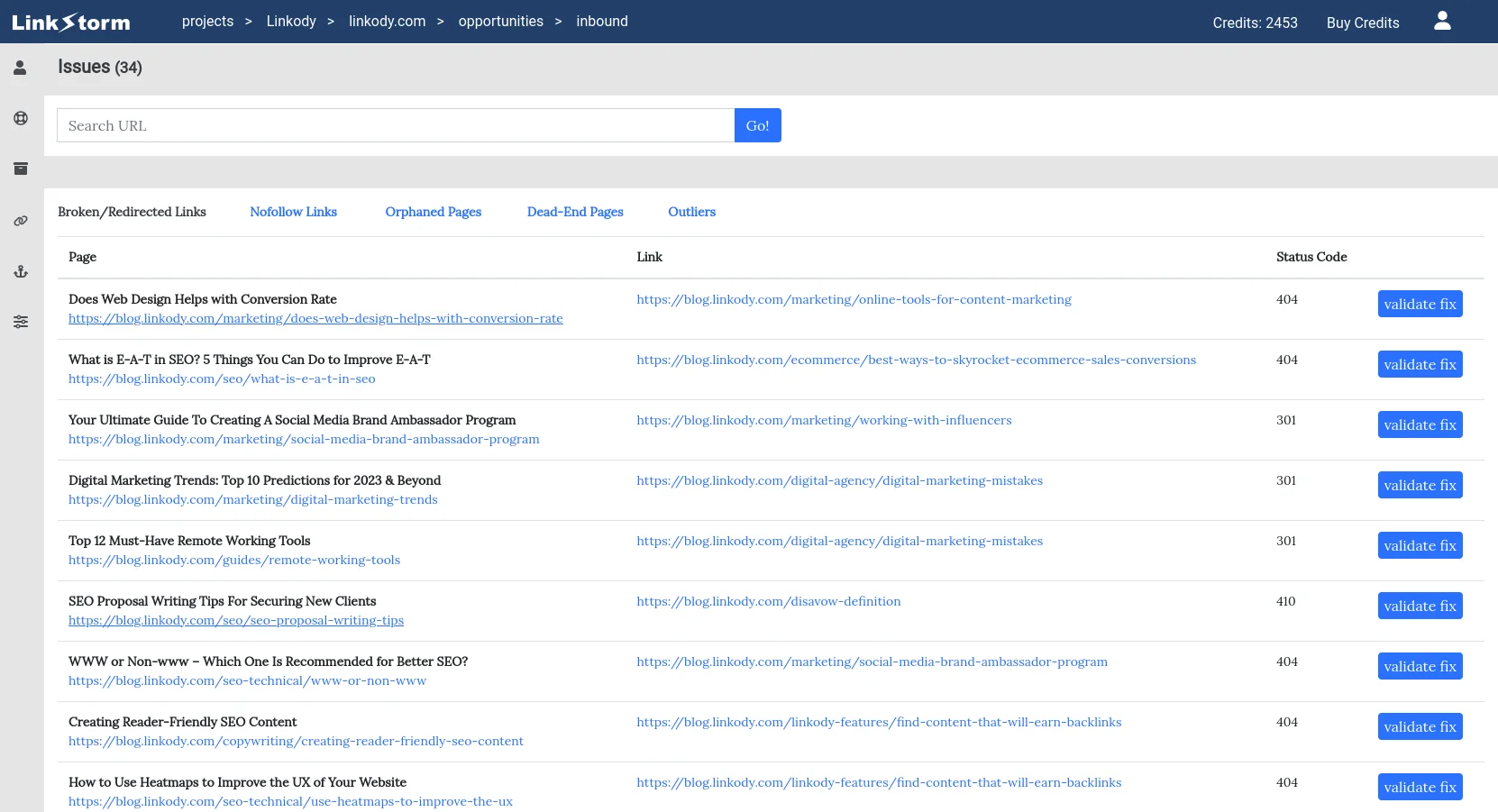
LinkStorm is an alternative worth evaluating when multi-site, url-volume-based link management matters more than LinkBoss’s bulk-first workflow.
Key features
- Crawl-driven internal-link opportunities
- Link issue reports
- Support for multiple projects and websites
- URL and credit allowances by plan
Pros
- Plans allow unlimited projects and websites
- URL allowances help forecast scale
- Suitable beyond a single WordPress installation
- Centralized workflow for several sites
Cons
- URL and credit ceilings still apply
- Separate subscription to manage
- Review is needed before adding links
- May be excessive for one small WordPress site
Pricing
1,000 URLs and 1,000 credits.
5,000 URLs and 5,000 credits.
20,000 URLs and 20,000 credits.
50,000 URLs and 50,000 credits.
LinkStorm vs LinkBoss
| Category | Better fit | Why |
|---|---|---|
| Multi-site URL-based plans | LinkStorm | LinkStorm is more directly oriented to this use case. |
| WordPress-specific silo features | LinkBoss | LinkBoss provides dedicated workflows for this need. |
| Best overall | Depends on your workflow | Compare the features and pricing model with your publishing process. |
Verdict: LinkStorm or LinkBoss?
Choose LinkStorm when you manage several websites and want pricing based on URL volume. Choose LinkBoss for WordPress-first audits, silo planning and bulk insertion.
4. Internal Link Juicer: Best for automated keyword-based link rules
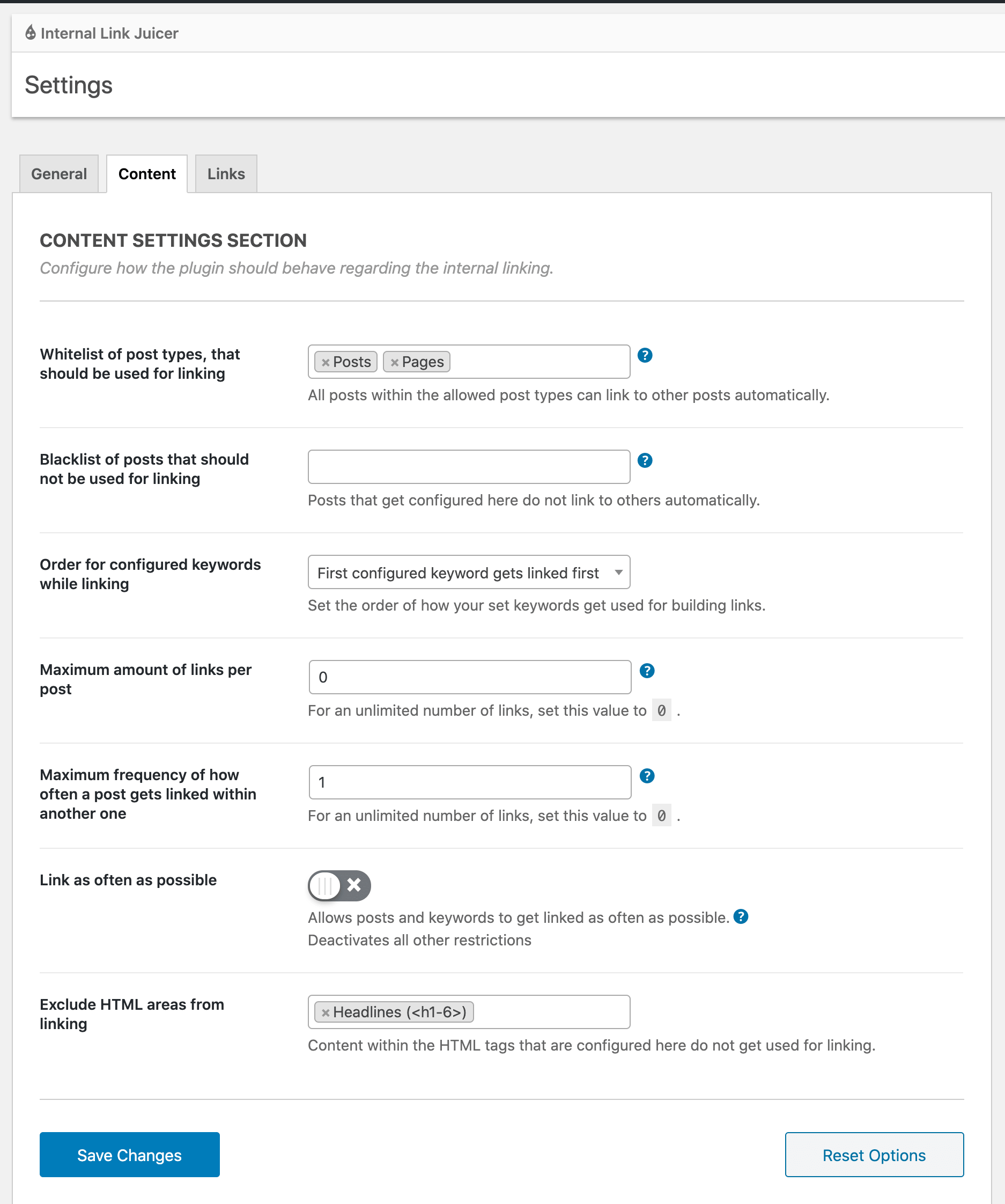
Internal Link Juicer is an alternative worth evaluating when automated keyword-based link rules matters more than LinkBoss’s bulk-first workflow.
Key features
- Keyword-to-target rules
- Automated insertion based on configured keywords
- Link statistics and reporting
- Per-post keyword configuration
Pros
- Free Basic option
- Predictable rule-based behavior
- Good for repeated terminology across articles
- WordPress integration
Cons
- Rules require setup and maintenance
- Exact keyword matching may be less context-aware
- Repeated links can feel unnatural without controls
- Advanced reporting requires checking paid availability
Pricing
Core keyword-based internal linking.
Paid features and licensing vary; verify directly.
Internal Link Juicer vs LinkBoss
| Category | Better fit | Why |
|---|---|---|
| Keyword-rule automation | Internal Link Juicer | Internal Link Juicer is more directly oriented to this use case. |
| AI-assisted bulk insertion | LinkBoss | LinkBoss provides dedicated workflows for this need. |
| Best overall | Depends on your workflow | Compare the features and pricing model with your publishing process. |
Verdict: Internal Link Juicer or LinkBoss?
Choose Internal Link Juicer for predictable keyword rules and a free starting point. Choose LinkBoss for contextual linking, audits and larger editorial workflows.
Visit Internal Link Juicer Visit LinkBoss Read full comparison
5. AIOSEO Link Assistant: Best for existing aioseo customers
AIOSEO Link Assistant is an alternative worth evaluating when existing aioseo customers matters more than LinkBoss’s bulk-first workflow.
View AIOSEO Link Assistant product screenshots and interface on the official website.
Key features
- Link opportunity suggestions
- Internal-link reports
- Orphan-content discovery
- Integration with AIOSEO’s wider WordPress SEO suite
Pros
- Fits existing AIOSEO workflows
- Reduces plugin switching
- Link reports alongside SEO settings
- Useful when the eligible plan is already paid for
Cons
- Requires an eligible paid AIOSEO tier
- Broad SEO suite may be unnecessary
- Not built exclusively around bulk link insertion
- Plan inclusion needs verification
Pricing
Confirm that Link Assistant is included in the selected tier.
AIOSEO Link Assistant vs LinkBoss
| Category | Better fit | Why |
|---|---|---|
| All-in-one WordPress SEO workflow | AIOSEO Link Assistant | AIOSEO Link Assistant is more directly oriented to this use case. |
| Dedicated bulk and silo workflows | LinkBoss | LinkBoss provides dedicated workflows for this need. |
| Best overall | Depends on your workflow | Compare the features and pricing model with your publishing process. |
Verdict: AIOSEO Link Assistant or LinkBoss?
Choose AIOSEO Link Assistant if you already use an eligible AIOSEO plan. Choose LinkBoss when internal-linking operations are the primary purchase.
6. Screaming Frog SEO Spider: Best for detailed technical internal-link audits
Screaming Frog SEO Spider is an alternative worth evaluating when detailed technical internal-link audits matters more than LinkBoss’s bulk-first workflow.
View Screaming Frog SEO Spider product screenshots and interface on the official website.
Key features
- Crawl depth and internal-link reports
- URL discovery with analytics integrations
- Exportable link data
- Detailed technical crawl diagnostics
Pros
- Granular crawl data
- Strong technical audit use cases
- Exports support custom analysis
- Free limited crawl available
Cons
- Does not automatically insert links
- Desktop crawler requires some technical skill
- Free crawl limit
- Manual remediation is still required
Pricing
Limited URL crawl for smaller audits.
Expanded crawl limits and advanced capabilities.
Screaming Frog SEO Spider vs LinkBoss
| Category | Better fit | Why |
|---|---|---|
| Technical crawl detail | Screaming Frog SEO Spider | Screaming Frog SEO Spider is more directly oriented to this use case. |
| Direct WordPress insertion | LinkBoss | LinkBoss provides dedicated workflows for this need. |
| Best overall | Depends on your workflow | Compare the features and pricing model with your publishing process. |
Verdict: Screaming Frog SEO Spider or LinkBoss?
Choose Screaming Frog when the task is diagnosing architecture and crawl issues. Choose LinkBoss when the same team needs to insert links into WordPress after identifying gaps.
7. Sitebulb: Best for visual site architecture and technical seo audits
Sitebulb is an alternative worth evaluating when visual site architecture and technical seo audits matters more than LinkBoss’s bulk-first workflow.
View Sitebulb product screenshots and interface on the official website.
Key features
- Internal-link and crawl analysis
- Site architecture visualizations
- Prioritized technical audit hints
- Detailed crawl reports
Pros
- Clear site architecture visualizations
- Useful for complex audits
- Audit hints help prioritize investigations
- Broader technical SEO coverage
Cons
- Does not insert WordPress links
- Separate crawler subscription
- Requires manual implementation
- May be more technical than bloggers need
Pricing
Features and crawl allowances depend on the selected product.
Sitebulb vs LinkBoss
| Category | Better fit | Why |
|---|---|---|
| Visual crawl analysis | Sitebulb | Sitebulb is more directly oriented to this use case. |
| Direct link insertion | LinkBoss | LinkBoss provides dedicated workflows for this need. |
| Best overall | Depends on your workflow | Compare the features and pricing model with your publishing process. |
Verdict: Sitebulb or LinkBoss?
Choose Sitebulb for architecture visualization and audit investigations. Choose LinkBoss when you need WordPress link creation rather than only reporting.
Which alternative should you choose?
For editor-led suggestions, start with Link Whisper. For a broader WordPress plugin toolkit, look at Linkilo. For multi-site URL-based workflows, evaluate LinkStorm. For keyword rules, try Internal Link Juicer. For technical audits without link insertion, compare Screaming Frog and Sitebulb. LinkBoss remains a strong choice when you need free audits and bulk link insertion in one WordPress workflow.
Read our full LinkBoss review, pricing guide, and internal linking tools comparison.
Vendor references
- Link Whisper official website
- Linkilo official website
- LinkStorm official website
- Internal Link Juicer official website
- AIOSEO Link Assistant official website
- Screaming Frog SEO Spider official website
- Sitebulb official website